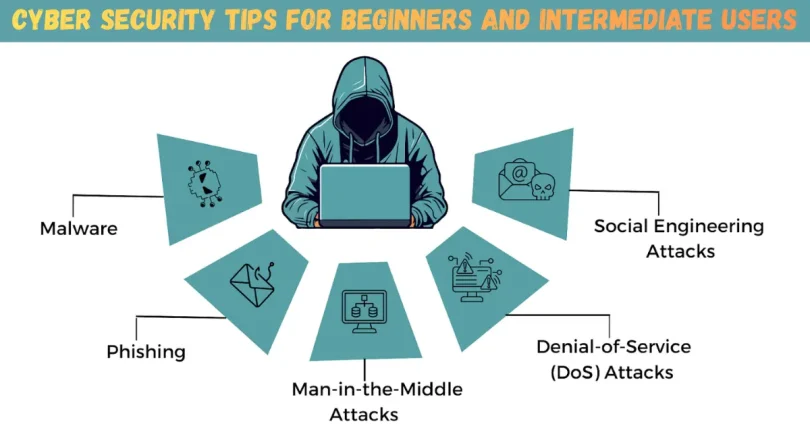

Introduction
In today’s digital world, staying safe online is no longer optional. Every day, people use the internet for work, learning, shopping, banking, and entertainment. However, this convenience also attracts cybercriminals who look for weak points to steal data, money, or identities. That is why learning Cyber Security Tips is essential for everyone, not just IT professionals.
Cyber threats are growing rapidly. From phishing emails and fake websites to malware and data breaches, online risks affect individuals and businesses alike. Even a small mistake, such as clicking a suspicious link or using a weak password, can cause serious problems. Many beginners believe hackers only target big companies, but the truth is that ordinary users are often easier targets.
What is Cyber Security Tips?
Cyber security refers to the practices and methods used to protect computers, networks, mobile devices, and data from digital attacks. Cyber Security Tips are simple guidelines that help users avoid online threats and reduce risks. These tips focus on prevention, awareness, and safe behavior rather than complex technical setups.
At its core, cyber security is about protecting three main things. First is your data, such as passwords, personal details, photos, and financial information. Second is your devices, including laptops, smartphones, and tablets. Third is your online identity, which can be misused if stolen.
For example, using strong passwords, keeping software updated, and avoiding suspicious emails are all Cyber Security Tips. These actions may seem small, but together they create strong protection. Cyber security is not a one-time task. Instead, it is an ongoing habit that adapts as technology changes.
Why is Cyber Security Tips Important?

Cyber security is important because our lives are deeply connected to technology. We store sensitive information online, communicate through digital platforms, and rely on the internet for daily tasks. Without proper protection, this information can easily fall into the wrong hands.
One major reason Cyber Security Tips matter is financial safety. Cybercriminals often target bank details, credit cards, and online payment accounts. A single breach can lead to financial loss that takes months to recover. Simple habits like secure passwords and safe browsing can prevent this.
Another reason is privacy protection. Personal photos, messages, and documents are valuable targets. Once stolen, they can be misused or shared without permission. Cyber security helps keep your personal life private.
Cyber attacks can also cause emotional stress. Identity theft, hacked accounts, and data loss create anxiety and confusion. By following Cyber Security Tips, you reduce the chances of facing these problems.
Detailed Step-by-Step Guide
Step 1: Create Strong and Unique Passwords
Passwords are your first line of defense. Weak passwords are easy to guess or crack.
- Use at least twelve characters
- Mix letters, numbers, and symbols
- Avoid names and common words
- Use different passwords for each account
For example, instead of using “password123,” create something longer and unique. A password manager can help you store them safely.
Step 2: Enable Two-Factor Authentication
Two-factor authentication adds an extra layer of security. Even if someone knows your password, they still need a second code.
- Use app-based authentication when possible
- Avoid SMS codes if better options exist
- Enable it on email, banking, and social media accounts
This is one of the most effective Cyber Security Tips available today.
Step 3: Keep Software and Devices Updated
Updates fix security weaknesses. Ignoring updates leaves your system open to attacks.
- Update operating systems regularly
- Keep apps and browsers current
- Enable automatic updates when possible
Hackers often target outdated software, so staying updated is critical.
Step 4: Be Careful with Emails and Messages
Phishing attacks are very common. They trick users into clicking fake links or sharing information.
- Check the sender’s address carefully
- Do not click unknown links
- Avoid downloading unexpected attachments
If something feels urgent or strange, take a moment to verify it.
Step 5: Use Secure Internet Connections
Public Wi-Fi networks are risky. They can be monitored by attackers.
- Avoid accessing sensitive accounts on public Wi-Fi
- Use a virtual private network when possible
- Secure your home Wi-Fi with a strong password
Safe connections are an important part of Cyber Security Tips.
Step 6: Install Trusted Security Software
Security tools help detect and block threats.
- Use reputable antivirus software
- Enable firewalls on devices
- Scan your system regularly
These tools work best when combined with smart user behavior.
Step 7: Back Up Your Data Regularly
Data loss can happen due to attacks or accidents.
- Use external drives or cloud storage
- Schedule automatic backups
- Test backups to ensure they work
Backups help you recover quickly if something goes wrong.
Benefits of Cyber Security Tips
- Protects personal and financial information
- Reduces risk of identity theft
- Improves online confidence
- Prevents data loss
- Saves time and money
- Creates safer digital habits
Following Cyber Security Tips offers peace of mind in a connected world.
Disadvantages / Risks
- Requires time to learn and maintain
- Can feel overwhelming for beginners
- Some tools may cost money
- False sense of security if ignored
Despite these challenges, the benefits greatly outweigh the risks.
Common Mistakes to Avoid
Many users make simple mistakes that weaken their security.
One common mistake is reusing passwords across multiple accounts. This allows one breach to affect many services. Another mistake is ignoring software updates. Delaying updates leaves known security holes open.
Some users trust every email or message they receive. This behavior increases the risk of phishing attacks. Others rely only on security software and ignore safe habits. Cyber security works best when tools and behavior work together.
Avoid oversharing personal information online. Social media details can be used to guess passwords or answer security questions. Staying cautious and aware is one of the most effective Cyber Security Tips you can follow.
FAQs
What are Cyber Security Tips for beginners?
Cyber Security Tips for beginners include using strong passwords, avoiding suspicious links, updating software, and enabling two-factor authentication. These basic steps provide strong protection without technical knowledge.
How often should I change my passwords?
Passwords should be changed if there is a breach or if you suspect unauthorized access. Using strong, unique passwords reduces the need for frequent changes.
Is antivirus software enough for protection?
Antivirus software is helpful but not enough alone. Safe browsing habits and awareness are equally important parts of cyber security.
Can mobile devices be hacked?
Yes, mobile devices can be targeted through malicious apps, fake messages, and unsecured networks. Applying Cyber Security Tips to mobile devices is essential.
What is phishing and how can I avoid it?
Phishing is a scam that tricks users into sharing information. Avoid it by checking senders, avoiding unknown links, and not sharing sensitive data.
Do small businesses need cyber security?
Yes, small businesses are common targets. Basic Cyber Security Tips help protect customer data and business operations.
Expert Tips & Bonus Points
- Use a password manager for better organization
- Review privacy settings on social platforms
- Log out of accounts on shared devices
- Monitor account activity regularly
- Educate family members about online safety
Experts agree that consistent habits matter more than advanced tools. Cyber security improves when everyone participates.
Conclusion
Cyber security is no longer just a technical topic reserved for experts. It is a daily responsibility for anyone who uses digital devices and the internet. As technology becomes more integrated into our lives, the risks also increase. That is why learning and applying Cyber Security Tips is essential for beginners and intermediate users alike.
The good news is that cyber security does not have to be complicated. Simple actions, such as creating strong passwords, updating software, and staying alert online, can prevent most common attacks. These habits protect your personal data, financial information, and online identity from unnecessary risks.
Cyber security is an ongoing process. Threats change, and so should your awareness. By regularly reviewing your security practices and staying informed, you build long-term protection. The goal is not to be perfect but to be prepared.